
When a homeowner searches “HVAC repair near me,” the first thing they often see is a map with three business listings underneath it. That cluster, commonly called the map pack or local pack, is prime real estate. Many people never scroll past it. They call one of the three companies shown, and the rest of the internet might as well not exist.
Your Google Business Profile (GBP) is the free listing that determines whether you appear there. For a small HVAC company, it is one of the highest-return marketing assets you have, and many contractors set it up once and never touch it again.
Here is a practical checklist you can work through, one item at a time.
1. Claim and Verify Your Profile
If you have not already claimed your listing, start here. Verification confirms to Google that you are a real business at a real location or service area. Unverified profiles are limited and easy to hijack. If someone else, such as a former employee or an old marketing agency, controls your listing, regain access before doing anything else.
2. Choose the Right Primary Category
Your primary category is one of the strongest signals Google uses to decide which searches you should appear for. For most HVAC companies, a heating and air conditioning-type category will be the right fit, but check the options available in your area and choose the one that matches your main revenue.
Then add secondary categories for other services you genuinely offer, such as furnace repair, air conditioning repair, or heating contractor. Do not add categories for services you do not provide. It confuses searchers and can hurt relevance.
3. Make Your Name, Address, and Phone Consistent
Google cross-checks your business information across the web. If your name is “Smith Heating & Air” on your profile, “Smith HVAC LLC” on a directory, and “Smith Air Conditioning” on your website, it creates uncertainty.
Pick a single, accurate version of your business name and phone number and use it everywhere. If you use call tracking numbers for ads, keep your main local number listed as an additional number so you do not create inconsistencies.
4. Define Your Service Area Realistically
Many HVAC contractors travel to customers rather than hosting them at a shop, so a service area setup matters. List the cities and ZIP codes you genuinely serve. Do not stretch it to include places an hour away just to appear in more searches. You will pay in wasted calls, and Google tends to favor businesses closer to the searcher anyway.
If you hide your address because you work from home, follow Google’s guidelines for service-area businesses.
5. Write a Description That Sounds Like You
Your business description is a chance to explain, in plain language, what you do, whom you serve, and what makes you different. Mention your core services (repair, replacement, maintenance), your service area, and any real differentiators such as same-day service, financing, or years in business.
Avoid keyword stuffing. Write for a homeowner, not an algorithm.
6. List Your Services
Add each service you offer, with a short description. Typical examples include AC repair, furnace repair, heat pump installation, duct cleaning, thermostat installation, and seasonal tune-ups. This helps your listing match specific searches and gives visitors a clear picture of what you do.
7. Upload Real Photos Regularly
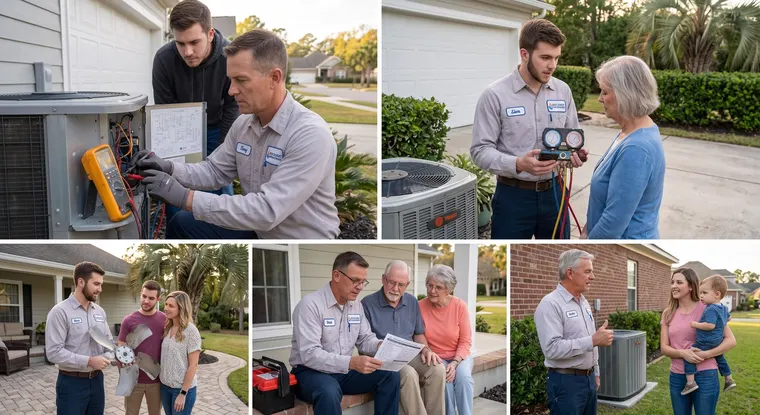
Photos build trust. Show your trucks, your team in uniform, completed installations, and clean workmanship. Avoid stock images. A homeowner looking at your profile wants to know who will show up at their door.
Add new photos on a regular basis. A profile with recent activity looks alive, while one with nothing new in two years looks abandoned.
8. Set Accurate Hours, Including Emergency Availability
Wrong hours cause real problems. If your profile says you are closed but you take emergency calls, you lose them. If it says you are open 24/7 but nobody answers at night, you generate bad experiences and bad reviews.
If you want to be available around the clock without staffing the phones yourself, Gracie, the AI receptionist, can answer on the schedule you choose, gather the caller’s details, and send you a text or transfer the call. That lets your hours reflect reality without burning out your team. For more on this, read our guide to after-hours HVAC calls.
9. Build a Steady Flow of Reviews
Reviews are among the most visible factors in local search, both for ranking and for convincing someone to call you. A profile with many recent, positive reviews will usually beat a profile with a handful of old ones, all else equal.
The key words are steady and recent. A burst of 30 reviews followed by nothing looks less natural than a few each week. Ask every satisfied customer, ideally right after the job, while the experience is fresh.
Review automation and follow-up makes this easier by sending a request at the right time, so it does not depend on a busy tech remembering to ask.
10. Respond to Every Review
Reply to positive reviews with a short, genuine thank-you. Reply to negative ones calmly, professionally, and without arguing. A thoughtful response to a bad review often impresses future customers more than the review itself hurts.
Never fabricate reviews or offer incentives that violate Google’s policies. It is not worth the risk of suspension.
11. Use Posts, Updates, and Q&A
Google lets you share posts about seasonal tune-up reminders, promotions, or helpful tips. Use them occasionally. Seasonal reminders such as “Schedule your AC check before summer” can prompt calls from people who were already thinking about it.
Also monitor the questions section of your profile. Answer common questions yourself before a stranger or competitor does.
12. Connect Your Profile to a Tracking System
This is the step most contractors skip. If you do not know how many calls come from your profile, you cannot tell whether your effort is paying off.
Use a dedicated tracking number or source tag for calls originating from your GBP, and log outcomes. With LeadTable tracking, you can see where calls come from, what happened on each, and how many turned into booked work. That turns your profile from a mystery into a measurable lead source.
How This Fits With Paid Ads
Your Google Business Profile and your paid ads work together. Homeowners often see both, and a strong profile with great reviews makes your ad look more trustworthy. Likewise, a well-run ad campaign can fill in the gaps when you do not yet rank in the map pack.
Managed HVAC pay-per-click ads can give you visibility while your organic local presence grows. Our local search and maps service focuses on strengthening the organic side, so over time you depend less on paying for every lead.
Common Mistakes to Avoid
- Keyword-stuffed business names. Google’s rules prohibit adding extra keywords to your name, and violations can cause suspension.
- Multiple listings for one business. Duplicate profiles split your reviews and confuse customers.
- Ignoring messages and calls from the profile. If people reach you through the listing, respond quickly.
- Neglecting seasonal updates. Update photos, posts, and hours as seasons and availability change.
- Setting it and forgetting it. A profile needs regular attention.
A Realistic Timeline
Local search improvements are not instant. Fixing categories and information can produce changes within weeks, but building reviews and authority takes months. Think of it as compounding: each review, photo, and accurate detail adds a bit more trust, and the benefits pile up over a year.
Strengthen Your Local Presence With Help
MicroManaged Media, Inc. created Get Calls AI for small HVAC contractors who want more qualified calls without constantly fighting for them. We support your Google Business Profile, local visibility, and reviews, then connect them to Gracie and LeadTable so you can see what turns into booked work.
Contact MicroManaged Media today and let us review your profile with you.