
Ask a lot of HVAC owners whether their marketing is working, and you will get an answer based on feel. “The phone has been busy.” “It seems slower than last year.” “I think the Google thing is okay.” Feelings are not useless, but they are a poor basis for deciding where to spend thousands of dollars a month.
The contractors who grow steadily tend to share one habit: they know their numbers. They can tell you what a booked job costs them to acquire, which source produces the best customers, and where leads fall through the cracks. This article shows how a small shop can build that clarity without becoming a data scientist.
The Metric That Matters: Cost Per Booked Job
Most ad reports lead with impressions, clicks, and cost per click. Those numbers are not meaningless, but they sit far from your bank account. What you really care about is simpler.
Cost per booked job = marketing spend divided by jobs actually booked.
Even better is revenue per marketing dollar, which accounts for the fact that a replacement is worth far more than a tune-up. If you spent $3,000 and booked work worth $24,000, you have a clear sense of return. If you cannot calculate that, you are flying blind.
To get there, you need to follow each lead through a chain of steps.
The Lead Journey You Need to Follow
A typical HVAC lead moves through these stages:
- Source: Where did they find you? Paid search, a local service listing, the map, a referral, a past customer?
- Contact: Did they call or fill out a form?
- Response: Was the call answered? How fast was the follow-up?
- Appointment: Did they schedule a visit or estimate?
- Outcome: Did the job happen? What was the value?
- Follow-up: Did they get a review request, a maintenance offer, or another touch?
If your records only capture steps one and two, you will know how many leads you generated, but not which ones made you money. The goal is to connect the first step to the last.
Why Tracking Breaks Down in Small Shops
It is not that owners do not care. The typical problems are practical.
- Information is scattered. Calls live on a phone, forms in an inbox, notes on paper or in someone’s head.
- Nobody owns the follow-up. When a lead is not closed on the first call, it gets forgotten.
- Sources are unknown. A caller says “I found you online,” which tells you nothing.
- Outcomes are not logged. The job gets done, but the link back to the original ad is lost.
Each gap makes it harder to decide where to put your next dollar.
Step One: Give Each Source Its Own Phone Number
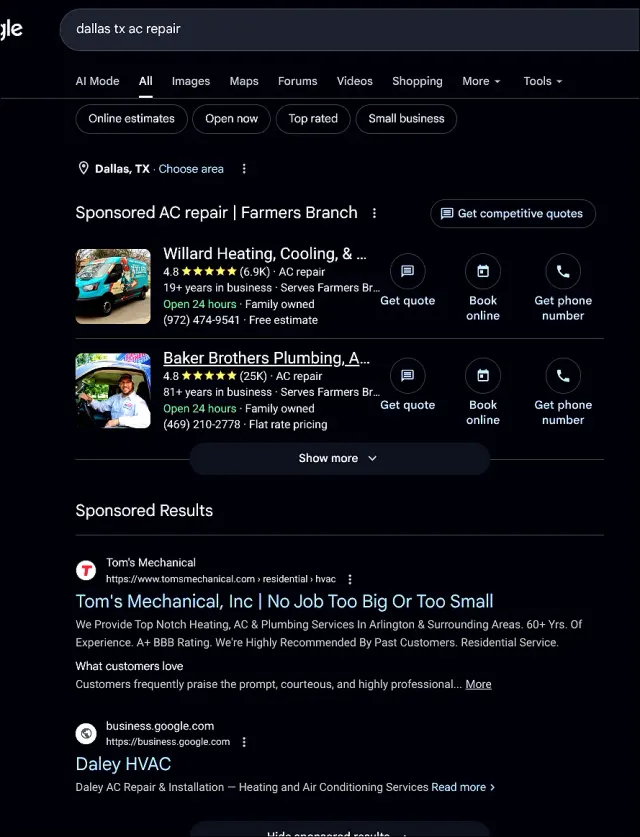
The simplest way to know where calls come from is to use tracking numbers. Assign one number to your paid search campaigns, another to local service ads, another to your Google Business Profile, and so on. When a call comes in on a given number, you know its origin without relying on the caller’s memory.
You can go further and use different numbers for different landing pages, so you can compare which pages convert best. A dedicated HVAC landing page paired with its own tracking number gives you very clear data on how well that page performs.
Step Two: Capture Details on Every Call
A tracking number tells you the source. You also need the details: who called, what they needed, how urgent it was, and what happened next. Missing calls make this impossible, which is why answering matters so much.
Gracie, the AI receptionist, collects the caller’s name, phone number, address, HVAC problem, and urgency on every call she answers. That information flows into your records instead of living on a scrap of paper or in a voicemail you might not return for hours.
Step Three: Record Outcomes in One Place
This is where LeadTable tracking comes in. It records leads, call details, outcomes, sources, and follow-up status in one place. Instead of piecing together phone logs, email threads, and memory, you can see a single list showing:
- Which leads came from which source
- Which calls were answered, transferred, or followed up by text
- Which became appointments or booked jobs
- Which are still waiting for a response
- What each job was worth
With that, “which ads are working?” becomes a question you can answer from data. It also reduces leads slipping through the cracks, since open follow-ups are visible rather than forgotten.
Step Four: Do the Math Monthly
Set aside time each month, even 30 minutes, to review the numbers. Calculate:
- Total marketing spend across all channels
- Total leads by source
- Booked jobs by source
- Cost per lead and, more importantly, cost per booked job
- Revenue from those jobs
Here is a simple illustration. Suppose paid search cost $2,000 and produced 25 calls, of which 10 became booked jobs worth $6,500 in total. Meanwhile, your Google Business Profile produced 12 calls at no direct cost, of which 6 booked for $4,000. Both channels matter, but you now know their different roles, and you can invest in improving each.
Compare Channels Fairly
Different channels have different strengths. Paid ads may give predictable volume, while the map listing may provide a trickle of low-cost, high-trust calls. Do not cut a channel simply because its cost per lead looks high. Look at what those leads were worth.
For example, you might find that LSA and PPC produce different mixes of repair and replacement work. Repair calls come in faster and more often, while replacement leads are less frequent but more valuable. Knowing which channel produces which type helps you set the right budget and bids.
Use Data to Improve Specific Things
Once you are tracking, patterns emerge that suggest specific fixes.
- Many calls, few bookings? The problem may be after the call. Review response speed, scripts, and follow-up.
- Many clicks, few calls? Your landing page or offer may need work.
- Calls clustered at night or on weekends? Make sure you are answering then, and consider after-hours coverage.
- Lots of out-of-area or wrong-service calls? Tighten your targeting and negative keywords in your PPC campaigns.
- Good jobs, few reviews? Tighten your review follow-up.
Every one of those insights saves money or earns more, and none of them is visible without tracking.
Common Tracking Mistakes
- Tracking only clicks and calls. Booked jobs and revenue are what count.
- Mixing sources. If all calls go to one number, you cannot separate their origins.
- Not logging missed calls. Unanswered calls are data too. They show where opportunities leak.
- Updating records inconsistently. A system only helps if outcomes get entered.
- Judging too early. Give campaigns enough time and volume to produce meaningful results.
- Ignoring seasonality. Compare similar periods, since summer and winter volumes differ from spring and fall.
What a Healthy System Looks Like
The strongest outcome for a small contractor is a dependable flow with no mystery in it: search, call or form, Gracie answers or captures details, immediate transfer or text follow-up, LeadTable tracks it, and the owner knows what produced booked work.
That level of visibility lets a 1 to 4 truck HVAC company make decisions like a much larger operation: spend more where it pays, cut what does not, and follow up on every lead.
Start Seeing Your Real Numbers
MicroManaged Media, Inc. created Get Calls AI to give small HVAC contractors the clarity to know what is working. We combine managed ads, landing pages, Gracie, and LeadTable so your marketing is tied to booked work, not guesses.
Contact MicroManaged Media today and let us help you find out what each booked job really costs.
